Building forms
Multilingual sites and RTL
Translating forms with WPML or Polylang, form languages, and right to left forms.
The form's own language
Each form has a Form language (General settings). It sets date and number formats and the language of built in messages such as "This field is required." Empty follows the site language. Text direction follows the language, or can be set to left to right or right to left.
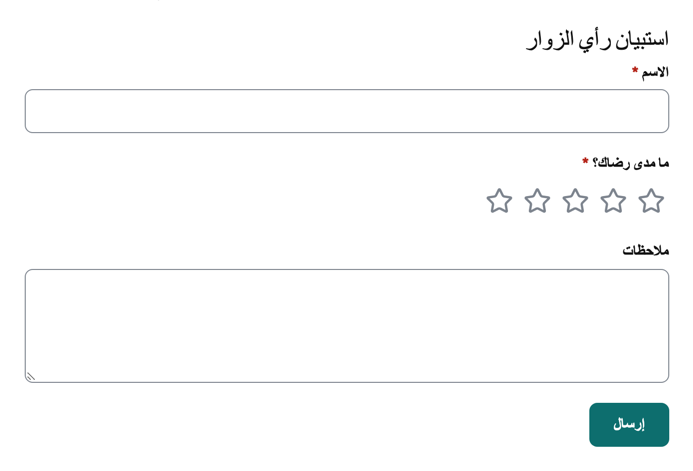
Forms in Arabic, Hebrew, Persian and Urdu lay out right to left: labels, icons, steps, choice cards, the progress bar and popups all mirror. Names, addresses and other answers in any script are stored and exported as typed.
Date fields can show the Islamic (Umm al-Qura) or Persian calendar next to the chosen day (Calendar shown in the field's Appearance settings); the answer is always stored as a standard date, so sorting, exports and rules keep working. Entry times are stored in UTC and shown in your site's time zone (Settings, General in WordPress); schedules name the time zone they use.
The plugin's own texts are translatable with the flavonto-forms text domain; the template file is languages/flavonto-forms.pot. No translation service is contacted.
WPML
With WPML and WPML String Translation active, publishing a form registers its visible text as a string package called Flavonto Forms with the form's title. Translate it in WPML, String Translation (or the Translation Management dashboard).
What is registered: the form title and introduction, button and step texts, messages, field labels, descriptions, placeholders, hints and help, choice labels, part labels of name and address fields, scale labels, email subjects and messages, the sender name, and confirmation messages. Field names, values, CSS classes and staff only labels are not translated, so entries and integrations stay the same in every language.
Choices are registered by their value, so reordering choices keeps their translations. When you publish changes, new strings are added and removed ones are cleaned up. Deleting the form deletes its package.
Polylang
With Polylang active, publishing a form registers the same strings under Languages, Translations, in a group named after the form.
Which language is used
- Forms show in the language of the page.
- Validation messages and confirmations follow it.
- Each entry records the visitor's language, and emails about the entry use that language, even when they are sent later in the background.
Use one form for all languages. You do not need to duplicate forms per language.